Breaking News
Showing posts with label Apps. Show all posts

Wednesday, November 5, 2014

KK Launcher (Lollipop & KitKat) Prime Apk

Capture
KK Launcher Prime
KK Launcher is the Top 1 Lollipop & KitKat style launcher; Most Fast, Cool, Powerful, and AD Free.
  • KK Launcher target users
  1. Who want latest Android experience, clean and modern design
  2. Who want smooth operation, handy features
  3. Who want their phones to be more powerful and playful
  • What make KK Launcher outstanding comparing to other launcher?
  1. KK Launcher have 20+ unique,COOL and useful features: such as Sidebar, Super folder, Private folder, App Lock, Double tap to turn off screen.
  2. Compare to Nova Launcher(or Apex Launcher,Solo Launcher), KK launcher base on KitKat, has latest Android UI and UE; while Nova Launcher base on ICS.
  3. Compare to Google Now Launcher, KK launcher has all of its features, adding many useful features.
KK Launcher Main Features
  • Support icon theme:
    Find 5000+ of launcher icon pack from Google Play Store; compatible with themes of nova launcher,solo launcher,go launcher,apex launcher, etc
    KK Launcher also support color theme: Customize icons color, shape, mask, size as you want easily
  • Handy Sidebar:
    Include Memory cleaner; Quick toggle; Favorite apps, and Sidebar can be launched from everywhere
  • Highly customize:
    Have 300+ of launcher options to tune your devices; options for grid size, app folder, 4 UI size mode, dock pages …
  • Google Now on your home screen:
    From left-most home screen, swipe right to access Google Now cards that give you just the right information
  • Just say “Ok Google”
    When you’re on KK Launcher screens(Android 4.4+), just say “Ok Google” to trigger voice input, then say your command
  • Updating to Android 5.0, Lollipop:
    Keep updating to latest Android L Lollipop (Android 5.0), bring you the latest Android experience
  • Launcher Desktop:
    Smooth animation; Wallpaper scrolling; 16 transition effect; 5 live wallpaper effect; Color wallpaper
  • Launcher Drawer:
    Create drawer folder; Hide app; 3 drawer style; 4 drawer sorting; Quick A-Z location bar; Quick app search; Change grid size
  • Transparent StatusBar, larger viewing area:
    For Android 4.4, and Galaxy S4,Galaxy Note; Transparent StatusBar Clone for Android 4.0-4.3
  • Many Convenient Gestures:
    15 desktop gestures; Icon gestures; Folder gestures; Reachability Gesture(like feature in iOS 8)
  • Unread Counts:
    For SMS, Call, Gmail
  • Much more …
KK Launcher Prime Features
Direct Download Links
  • Private folder; Super folder
  • App Lock
  • Double tap to turn off screen, triple tap to turn on
  • More Unread Counts/Notifier
  • More gestures; Icon gestures
  • More transition effect
  • Etc…
What’s New
  • Add KK tools box( Include Battery Saver, Greenify, Cpu Monitor, Boost ), make your phone fast
  • Add Free style widget, make your phone special
  • Optimize theme store and cloud wallpaper
  • Fix SMS unread may always show 1
  • Fix dock icons may misplace
  • Fix several crash bug
How to install ?
  1. Download the apk file.
  2. No need to enter key.
  3. Install normally.
  4. Done ! :)
Screenshot
Download
Monday, November 3, 2014

Lollipop Keyboard Mod APK

Capture
Lollipop Keyboard Apk (No Root Needed)
This is the Lollipop Key-board from the most up to date as well as final Designer Sneak peek! It’s constructed so everyone can utilize it! Need to work on ALL phones as well as iPad running 4.0 ICS and also up.
Features
  • No root system needed.
  • No uninstall of other Google Keyboards required.
  • Functions on Nexus, Motorola as well as other phone that might have Google Key-board  uninstalled .
How to install ?
  1. Download the apk file.
  2. No need to enter key.
  3. No Root Needed.
  4. Install normally.
  5. Done ! :)
Screenshots
Direct Download Links
hjn
Download

GO SMS Pro Premium v6.0 Build 231 Cracked APK

gsp
GO SMS Pro
GO SMS Pro 6 has been redesigned from start to finish, bringing you a brand new looking and intelligent mobile experience!
GO SMS Pro – Nearly 100 Million users’ choice, all time #1 messaging app to replace the stock!
It’s simple, intuitive, personalizing and fun!
It comes with beautiful themes, lovely stickers, private box, GO chat (send free SMS & MMS) , pop up windows, dual sim support, and much more. We are committed to making GO SMS Pro faster, safer and tons of great features – messaging has never been so fun and efficient!
Free Features
  • Hundreds of personalized themes and lovely stickers (keep increasing)
  • Private box to encrypt messages & protect your privacy
  • GO chat support for free messages and group chat
  • Sticky conversations help you focus on important contacts by sticking them at the top
  • Pop up new messages for quick viewing and replying
  • Dual SIM matching, supports 8,000+ dual SIM devices (keep increasing)
  • SMS blocker smartly block blacklist/keywords and filter spam messages
  • Automatically categorize strangers conversations and keep your Inbox simplicity
Pro Features
Direct Download Links
  • Support disabling all sponsored messages
  • Advanced Private Box for renaming or hiding entrance, faking notification as well
  • Customize the time of “delay to send”
  • Unlimited cloud storage space for message backup
  • Free to enjoy all the Getjar paid themes (Upgrade to Themes VIP)
Note: All premium features available and no Rooting & Lucky patcher is needed.
This app has no advertisements
How to Install?
  1. Download the apk file.
  2. No need to enter key.
  3. Install normally.
  4. Done !!
Screenshots
Downloads

Sunday, November 2, 2014

Download Facebook v21.0.0.11.22 Apk

App Icon
Keeping up with friends is faster than ever.
• See what friends are up to
• Share updates, photos and videos
• Get notified when friends like and comment on your posts
• Text, chat and have group conversations
• Play games and use your favorite apps
Now you can get early access to the next version of Facebook for Android by becoming a beta tester. Learn how to sign up, give feedback and leave the program in our Help Center:http://on.fb.me/133NwuP
Problems downloading or installing the app? See http://bit.ly/GPDownload1
Still need help? Please tell us more about the issue. http://bit.ly/invalidpackage
Facebook is only available for users age 13 and over.
Terms of Service: http://m.facebook.com/terms.php.
Facebook Screenshot 151
Facebook Screenshot 152
Facebook Screenshot 153

Download Link

Download YouTube v5.16.3 Apk

App Icon
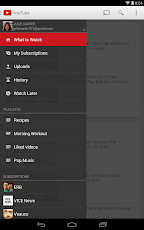
* Personalized 'What to Watch' recommendations
* Launch a never-ending YouTube Mix from your favorite music videos
* Find music faster by playing albums or artists right from search
* Cast videos straight from your phone to Chromecast and other connected TV devices and game consoles
* Search using text or voice
* Quickly find your favorite channels using the guide.
YouTube Screenshot 43
YouTube Screenshot 44
YouTube Screenshot 45

Download Links(Counts:720)

Date
Cracker/Uploader
Version
11/01/2014
unknown/A-x66
5.16.3
10/30/2014
unknown/A-x66
5.14.5 build 51405700
10/23/2014
unknown/A-x66
5.14.5
10/14/2014
unknown/A-x66
5.13.3
10/02/2014
unknown/A-x66
5.11.4
09/24/2014
unknown/A-x66
5.10.3.5
09/24/2014
unknown/A-x66
5.10.3.5
09/24/2014
unknown/A-x66
5.10.3.5
09/23/2014
unknown/A-x66
5.10.3.4
09/23/2014
unknown/A-x66
5.10.3.4

Download Bluelight Filter for Eye Care v1.80 Apk
App Icon

Thank you 5,000,000 Downlaods!!!
☆ Avoid Eye Strain
Bluelight from your smartphone or tablet causes strain on your eyes and keeps you from falling asleep at night.
This app adjusts your screen color to reduce the blue light and helps your eyes to relax, making it easier for you to fall asleep.

☆ Features

▽ Free Screen Filter App to Protect Your Eyes
You can reduce the strain on your eyes easily.
It's simple but effective!
All you have to do is launch this app.

▽ Screen Filter with Natural Color
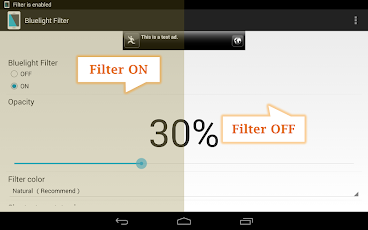
This app's filter has a natural color so you can read news, emails and websites clearly.
This app doesn't dim the screen but adjusts the screen color to reduce blue light which causes strain on your eyes.

▽ Easy Operation
It's easy to turn on or off with just one tap. 
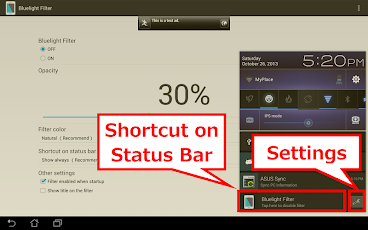
You can adjust the opacity of the filter.
Choose between 5 different filter colors.

▽ Turn On or Off Quickly and Easily
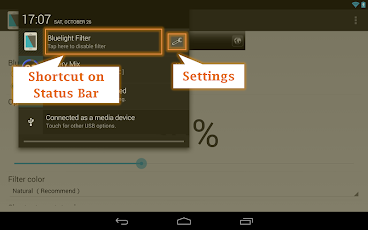
You can choose to show or hide a filter icon in the status bar, making it easy to tweak the settings at any time.

▽ Startup Automatically
You can choose whether or not the filter launches on startup.

▽ Eye Care in your Smartphone or Tablet
This app works on most smartphones such as Samsung Galaxy, HTC ONE Xperia and so on. It also works on tablets such as Nexus 7, Nexus 10, ASUS MeMO Pad, Acer ICONIA and more!

▽ Simple App
This app doesn`t use your battery except when setting up the filter, since it only adjusts the color temperature and the lux the memory usage is low too.

▽ Reliable App
This app's developer has been registered as an official developer by an independent organization in Japan.
http://goo.gl/C4qIk (Japanese website)

▽ Information!
The latest news about this app can be found here:
- Facebook https://www.facebook.com/Hardyinfinity
- Twitter https://twitter.com/HardyInfinity

▽ Remove ads
Please purchase the full version to remove ads.
http://goo.gl/ozbIaC

▽ Good Reviews
- Awesome App
No straining of eyes while reading. After applying the filter, display is almost as good as any eBook reader. Almost made my kindle redundant.
- Interesting
Frankly speaking, I thought that it will be of the joke Apps but I found a huge difference and feeling relaxed after using this App. Keep up the good work.
- Excellent app!
Usage highly recommended. With our lives seemingly dependent on smartphones, our eyes deserve something like this.
- Almost sleep inducing
Easy to use and easy on the eyes, literally. I like and use it a lot.
- Similair to f.lux
Works good enough. It's a simple app. Some may find lack of auto adjustment trough day a bad thing.
- Excellent
In my opinion I recommend this app for u people wonderful app
- Highly recommended
This app does what it claims to do. Can feel the difference immediately. I purchased it after the first use itself. Only suggestion I have for developers is to keep one app only got users having key. I don't like two icons for one single app.
- I loved twilight, so I got this one to work well!
Great safety for my eyes, I was dying after being on my phone for so long, now I can see better! Please fix lagging!!
- It does make a difference
Installed this app to test if it actually helps. Looks like it does. Lesser strain on your eyes! Definitely recommend this one for any smartphone user.
- Simple but effective!
The idea is so simple of this app ,that what makes it great. It really relieves your eyes and breaks the strong light emotions. Great!

* If you want to install an app from a third party store such as Amazon. Please turn off the filter first to enable installation.
* When capturing a screen (screenshot) turn off the filter first, otherwise it will apply to the captured screen as well.
* If other screen adjustment apps such as controller of lux, screen darker, screen dimmer, night screen filter and more are running on your smartphone or tablet, the screen may turn too dark to operate properly. Please disable or uninstall other screen apps before using the bluelight filter.
Bluelight Filter for Eye Care Screenshot 1
Bluelight Filter for Eye Care Screenshot 2
Bluelight Filter for Eye Care Screenshot 3

Download Link

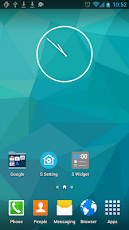
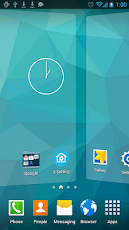
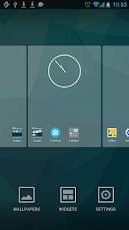
Download S Launcher (Galaxy S5 Launcher v2.8

App Icon
Floatify..Android L style heads-up notifications!

When you receive notifications Floatify will show you a heads-up popup window withstacked or latest notifications. You can interact with the popup, expand a notification to full size, open or cancel the notification, or open it in xHalo.
Even on the lockscreen (stock) you can directly open or cancel the notifications in Android L style!
Floatify can also wake your phone on notifications if you like.
QuickReply lets you directly reply without opening the app (WhatsApp, Line, Hangouts..) even from secure lockscreen!
Setup custom app settings like notification sound, lockscreen privacy, wake screen, popup timeout and more.
Choose from different popup themes or customize style as you like with animations, backgrounds, shapes and colors.

Explore the possibilities!

NOTE FOR ANDROID 4.1 + 4.2:
• Not all features are supported on Android versions before 4.3
• Notifications in statusbar cannot be cleared by Floatify like on Android 4.3!
• Some devices have a software bug and start talking, please disable TextToSpeech if this happens!
FLOATIFY NOTIFICATION:
• Android can kill any app if it is in background.
• Because of this Floatify shows a persistent notification on some devices.
• You can disable it in settings - extras - status bar notification
SETUP ACTIONS ON NOTIFICATION WHEN:
• Phone is in use
• On lockscreen (Stock)
• On unlock
• Screen turned on (unlocked)
FEATURES:
• Heads-Up notifications in Android L style
• Running on all Android 4.1+ devices.
• For full features 4.3+ is required!
• Quick Reply for WhatsApp, Line, Hangouts (If app supports this mode) (4.3+)
• Filter unwanted messages
• Quiet hours settings
• Custom app settings (Privacy, sound, wake, timeout..)
• Select from notification, ringtone or alarm sounds!
• Direct actions like call back / message (If notification app supports it)
• Expand notifications to full size
• Smart blacklist
• Lockscreen privacy setting
• Wake on notification (Auto pocket detection)
• Low battery consumption
• Fast and fluid handling
• Easy configuration
• Backup & Restore settings
• Much more!
STYLE:
• Icon pack support (Nova, Go, ADW,..)
• Choose a theme or customize as you like.
• Popup size, position, color, animation, opacity..
• Item color, divider, spacing, animations..
• Icon background, size, contact picture..
• Text color, max lines, size, bold..
• Unlimited possibilities

LANGUAGES:
• English
• German
• Spanish
• French
• Italian
• Turkish
• Polish
• Russian
• Hungarian
• Portoguese.
S Launcher (Galaxy S5 Launcher Screenshot 25
S Launcher (Galaxy S5 Launcher Screenshot 26

S Launcher (Galaxy S5 Launcher Screenshot 27
Download Links:


Date
Cracker/Uploader
Version
11/02/2014
unknown/A-x66
2.8 Unlocked
11/02/2014
unknown/A-x66
2.8 Unlocked

Wednesday, August 27, 2014

Weather Services PRO v2.4pro APK


Weather Services is ultimate weather and clock application including 4 widgets !


Weather Services PRO play.google.com.clockweatherpro
Weather Services is ultimate weather and clock application including 4 widgets.
Get the latest current conditions, forecasts, weather chart, maps and more with largest network of professional weather stations all over the world...

Features:
  • Live, local weather conditions and forecasts
  • Access up to tens of thousands of locations around world
  • 4 desktop widget (Weather&Clock 4x2, Forecast 4x1, Clock 4x1, Mini 1x1)
  • Up to 10 active locations
  • One of the best battery consumption application on the Market
  • Webcameras & weather maps (satellite)
  • Fully customizable (font types, backgrounds, colors and others)
  • Easy use and high-impact visual eye candy views
  • Quick access to your default clock and calendar applications
  • Weather charts and details
  • Cached weather maps for faster and offline viewing
  • Android 1.6+, QVGA, WQVGA400/432, HVGA, WVGA800/854 compatible
What's in this version(Updated : Aug 25, 2014)
  • Added: Resizable widgets width
  • Added: In-app Menu button & slide menu (see instructions on Hints)
  • Added: Graphical improvements
  • Fixed: Loading of Themes
  • Fixed: Loading of Forecast Maps
  • Fixed: Performance improvements (long weather data refresh)
  • Fixed: Optimizations for high resolution (>=FullHD) screens
Required Android O/S : 1.6+
Screenshots :

Essential Anatomy 3 v1.1.3 APK


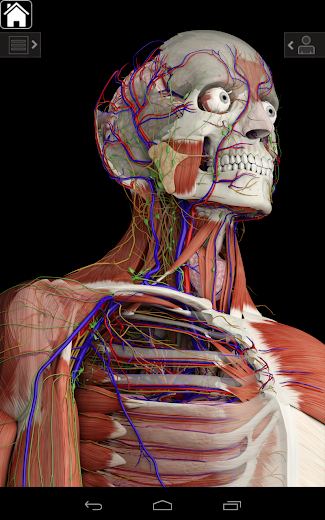
The best selling human anatomy app ever is now available on Android!


Essential Anatomy 3 play.google.com.EssentialAnatomy
To try out the technology please try out the free version for Essential Skeleton: Essential Skeleton which is also on Google Play

ESSENTIAL ANATOMY 3 
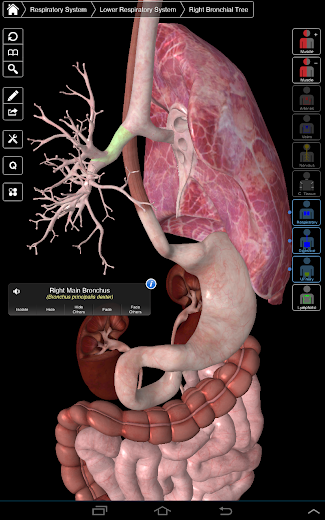
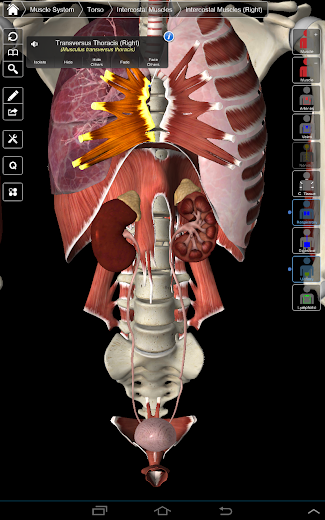
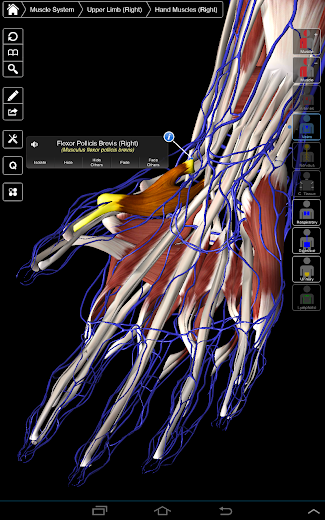
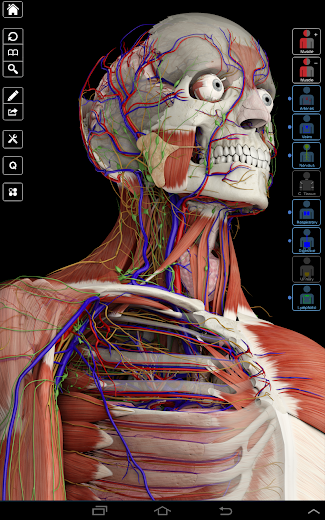
Essential Anatomy 3 represents the latest in groundbreaking 3D technology and innovative design. A cutting edge 3D graphics engine, custom built by 3D4Medical from the ground up, powers a highly-detailed anatomical model and delivers outstanding quality graphics that no other competitor can achieve.

The app represents a unique approach to learning general anatomy. The graphics are unparalleled and make learning, through the use of informative content and innovative features, a rich and engaging experience.

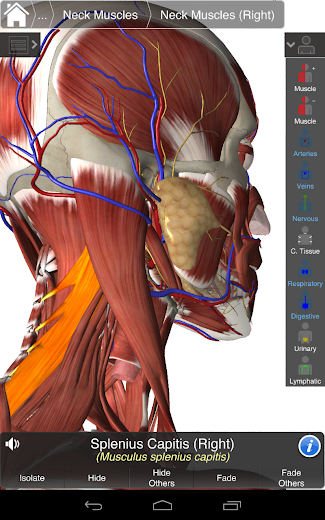
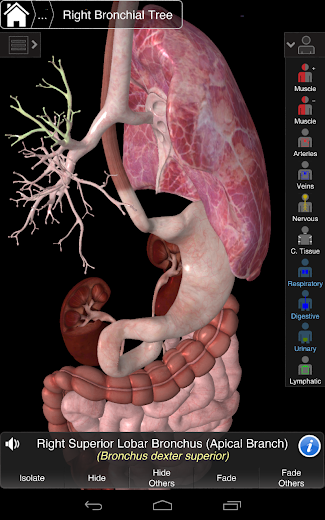
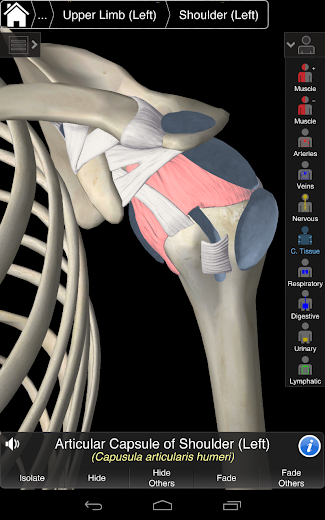
This app includes essential anatomy for 10 systems: 
  • Skeletal 
  • Muscles 
  • Connective Tissue 
  • Veins 
  • Arteries 
  • Nerves 
  • Respiratory 
  • Digestive 
  • Urinary 
  • Lymphatic 
  • also includes the Brain and Heart
NEW 3D TECHNOLOGY 
Essential Anatomy 3 is responsive, visually stunning and effortless. The app is fully 3D, meaning that you can view any anatomic structure in isolation, as well as from any angle.

EFFORTLESS NAVIGATION & FUNCTIONALITY 
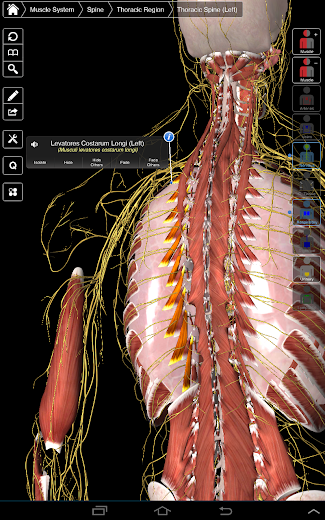
Clever functionality found within the app allows the user to strip away layers of muscle via the ‘scalpel’ tool. This app provides users with the ability to turn on/off systems without the need to deselect individual structures or muddle through a multitude of predefined regional tabs, like other apps.

PREMIUM INTERFACE DESIGN
Essential Anatomy 3 is designed with the user in mind - the body itself becomes the interface. Unlike other 3D apps, which rely on predefined anatomic arrangements and regional dissections to guide the user, 3D4Medical’s Essential Anatomy 3 lets you find what you are looking for without complication.

Features:
  • New 3D technology via 3D4Medical's latest graphics engine 
  • Over 4,000 highly detailed anatomical structures 
  • Multiple Selection Mode - Hide/Fade/Isolate individual or multiple structures 
  • Preset and customizable Bookmarks 
  • Correct audio pronunciation for every structure 
  • Latin nomenclature for each anatomical structure 
  • User friendly and intuitive interface 
  • Multiple search options 
  • Dynamic quiz function - Drag and Drop and Multi-choice 
  • Custom search modes 
  • Extensive social media tools and sharing capability
Any feedback? We thrive on engaging with customers and, unfortunately, can’t respond directly to reviews. Contact our customer support at info@3d4medical.com. You will receive a response promptly!

What's in this version : (Updated : Aug 7, 2014)
  • shaders fix for several devices
  • fixed picking of objects
Required Android O/S : 4.0.3+
Designed By Published.. Blogger Templates